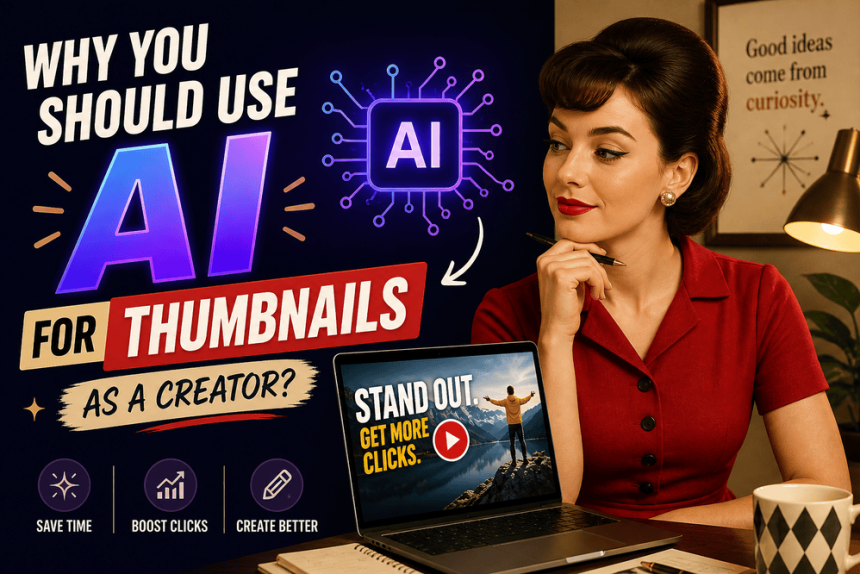

Why You Should Use AI for Your Thumbnails as a Creator?
Creating content takes time, and thumbnails take more of it than people expect. If you are publishing blogs or videos regularly, the work of making each thumbnail look polished, clear, and clickable can become its own job. That is one reason more creators are turning to AI tools for thumbnails. Not because they think AI is art, and not because they want to cut corners, but because they need a faster way to make strong visuals and spend more time on the content itself.
A thumbnail is not a side detail. It is the first thing people see, and in many cases, it is the reason they click at all. If a thumbnail looks rushed, messy, or visually flat, even great content can get overlooked. That is why polished thumbnails matter so much. They help your work look intentional, professional, and worth a viewer’s time.
Why thumbnails matter so much
Think of a thumbnail as the packaging for your idea. People make split-second decisions online, and they are often choosing between your content and ten other things competing for attention. A good thumbnail does not need to be fancy, but it does need to be clear, strong, and visually organized. If the image is too busy or too weak, the message gets lost before anyone even reads the title.
That creates a real problem for creators. You may have a great blog post or a strong YouTube video, but if the thumbnail does not do its job, the content may never get the chance to prove itself. AI can help solve that problem by making it easier to build visuals quickly, test ideas, and get to a final version without spending forever on design.
Why AI helps without replacing creativity
The strongest case for AI is not that it replaces design. It is that it helps creators work more efficiently. Most people making blogs or videos are not trying to become full-time designers on top of everything else. They are trying to stay consistent, keep their work looking polished, and avoid spending hours on one thumbnail when they could be using that time to write, film, edit, or promote.
That is where AI becomes useful. It can give you a starting point, speed up the boring parts, and help you move through thumbnail creation without draining your energy. For creators, that matters. Time is one of the biggest limits in content work, and anything that gives you a little more of it can make a real difference.
Respect for artists still matters
Using AI for thumbnails does not mean pretending it is the same as illustration or graphic design. It is not. Those are skilled creative art forms, and they deserve respect. AI thumbnails are a workflow choice, not a replacement for artistic work.
That distinction matters because the goal is not to dismiss human artists. The goal is to be honest about what AI is doing.
For many creators, especially those building independently, AI is not taking away work they were already able to hire for at scale. It is filling a gap. If you are publishing regularly and your budget is limited, you may not be able to commission a designer every single time. In that case, AI can be a practical way to keep your content visually strong without pretending it is handcrafted art.
What creators are really facing
This conversation is really about pressure. Creators are expected to be fast, consistent, and visually polished at the same time. That is a lot to carry. You need to produce content, keep up with the platform, and make sure your work looks professional enough to compete. Doing all of that manually, every time, can be exhausting.
AI helps reduce that load. It gives creators a way to keep moving without spending all their energy on one part of the process. That means more focus on the things that actually define your voice: the writing, the storytelling, the topic choices, the editing, and the connection with your audience. In other words, AI should serve the work, not become the work.
Best tools to use
There are plenty of tools that can help with thumbnail creation, depending on how much control you want and how much you want to spend.
Free or low-cost options
- Canva: A simple place to build polished thumbnails quickly, with templates and AI-assisted design features.
- Adobe Express: Good for creators who want a more refined template-based workflow.
- Leonardo AI: Useful for generating backgrounds or image elements when you want more customization.
Paid options
- Midjourney: Strong for creators who want more artistic or stylized visuals.
- Pikzels: Built with YouTube thumbnails in mind.
- vidIQ: Helpful if you want thumbnail support alongside broader YouTube growth tools.
- TubeBuddy: Good for creators who want optimization tools along with thumbnail testing and workflow support
The real benefit
The best reason to use AI for thumbnails is simple: it helps you save time without lowering your standards. It can make the process faster, reduce decision fatigue, and help you keep your visuals looking polished. That gives you more energy for the part of the work only you can do.
If you are trying to build something consistently, that matters. The less time you spend wrestling with thumbnails, the more time you have for the actual content that connects with people. And that is the real goal.
Would you like me to turn this into a more opinionated blog version, or make it sound more conversational and creator-to-creator?
Cited Sources
AI Images for YouTube Thumbnails: Good or Bad?
The Ethical Use of AI for Artists and Creative Entrepreneurs
15 Best AI Thumbnail Makers in 2026
Hacks to Make Viral YouTube Thumbnails with AI in 2026
Generative AI Ethical Use Guidelines
Free AI Thumbnail Maker: Create a thumbnail with AI | Canva
About the Author
Nikki Lopez is a seasoned professional with over a decade of experience in the startup world, specializing in leveraging creative content and community building to empower content creators. Known for a strategic approach and a deep understanding of audience needs, Nikki has a proven track record of leading the development of engaging content strategies and guiding the growth of thriving communities. Her leadership focuses on fostering meaningful interactions and impactful journeys for both creators and their audiences.